Playing Bad Apple on my Website
05/05/2025
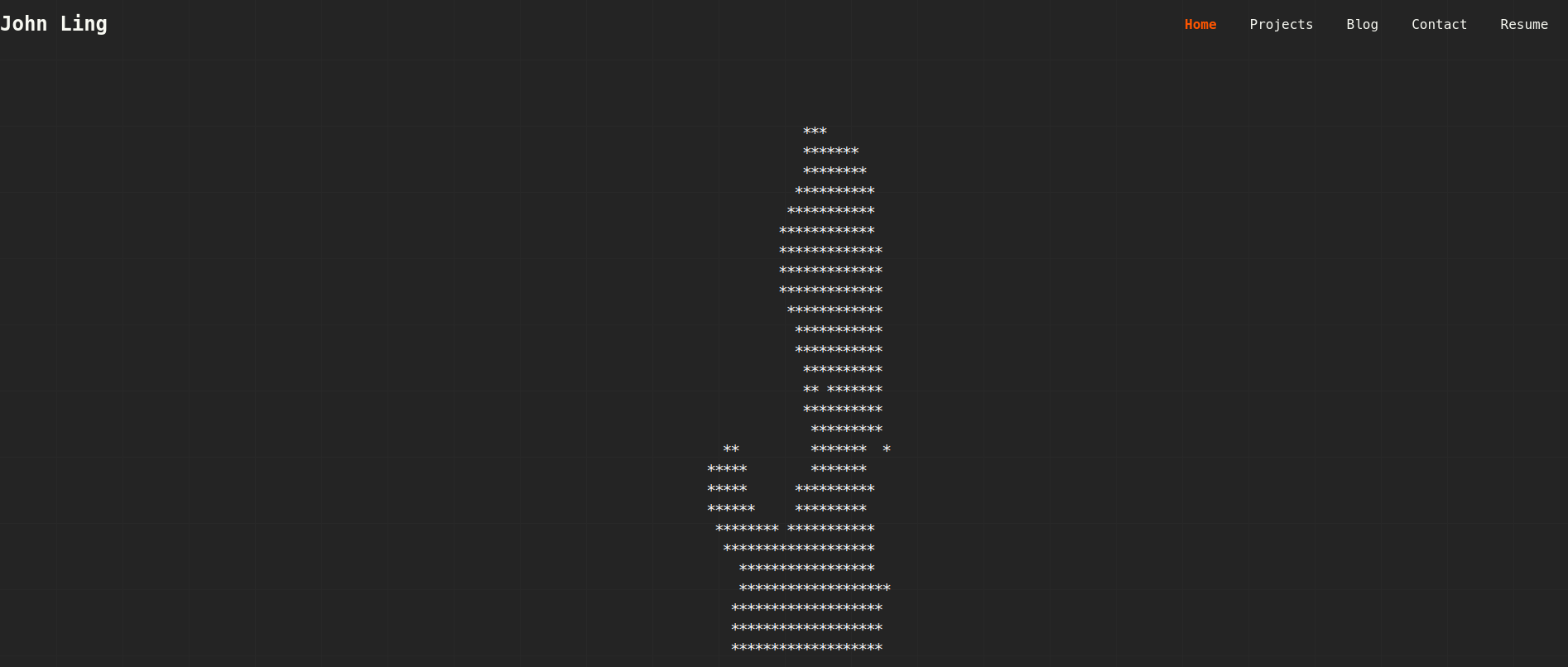
A while back, I rebuilt my website. Among many technical and aesthetic changes, a new addition was an animated ASCII display inspired by old CRT monitors.
The display was pretty cool and could render all kinds of animations.
But can it play Bad Apple?
My friend after their first visit to the website
If you visit https://johnling.me?apple it does.
I'm not kidding.
Here's how I made it.
Encoding Bad Apple
Resizing
First thing I had to do was to resize the video into a resolution that could be rendered on my website.
While the display can be of any size, the CPU-bound nature of the requestAnimationFrame function I used for the animations meant that I could not render Bad Apple at its full resolution without turning my visitor's computer into a space heater.
So I had to downscale the animation to a more manageable size.
Initially I attempted to use FFmpeg, however it introduced artifacts into the resulting video that I would have to fix via post-processing later. I settled on an OpenCV script to heavily reduce the resolution.
import cv2
import time

def main():
  cap = cv2.VideoCapture("bad_apple.mp4")
  fourcc = cv2.VideoWriter_fourcc(*"MP4V")
  out = cv2.VideoWriter("output.mp4", fourcc, 30, (40, 30))

  if not cap.isOpened():
      return

  while cap.isOpened():
      ret, frame = cap.read()
      if ret:
          cv2.imshow("frame", frame)
          if cv2.waitKey(33) & 0xFF == rd('q'):
              break

          # 0.083 came from the scaling factor needed to reduce
          # a 480x360 video to 40x30
          resized = cv2.resize(frame, None, fx=0.083, fy=0.083, interpolation=cv2.INTER_NEAREST)
          out.write(resized)
  print("Done")
  cap.release()
  out.release()
  cv2.destroyAllWindows()

if __name__ == "__main__":
  main()
You can now literally count the pixels in the video. However, that is what we want.
Converting Bad Apple to ASCII
Next, I needed to convert the video into text to be rendered. Since the entirety of Bad Apple is black and white, we could just iterate through the pixels and convert them into either '*' or ' ' to represent black and white respectively.
import cv2

def main():
  cap = cv2.VideoCapture("output.mp4")
  file = open("out.txt", 'w')

  while cap.isOpened():
      ret, frame = cap.read()
      if not ret:
          print("Error")
          break

      output = ""
      gray = cv2.cvtColor(frame, cv2.COLOR_BGR2GRAY)

      for i in range(30):
          row = ""
          for j in range(40):
              if gray[i][j] > 153:
                  row += ' '
              else:
                  row += '*'
          output += row
      cv2.imshow("frame", gray)
      if cv2.waitKey(33) & 0xFF == ord('q'):
          break

      output += '\n'
      file.write(output)

  file.close()
  cap.release()
  cv2.destroyAllWindows()

if __name__ == "__main__":
  main()
This script converts all the pixel values into characters based on whether their colour is relatively black or white. Frames are stored as lines separated by newlines and are saved to a file.
Delivering the Content
Technically, this article is a bit out of order as I decided on the method of rendering before writing the Python scripts.
I passed around a few ideas on how to do this, most of them over-engineered. Eventually, I decided on simply storing the frames in a compressed text file then unzipping and parse the file when needed.
The JSZip library came in handy and I wrote some code to download, unzip, split on newlines and load the frames into an array.
// ...

import JSZip from 'jszip';

let currentFrame: number = 0; // index into frames array
let frames: string[] = [];

export const bapple_init = async () => {
  // if frames have already been unzipped
  if (frames[0] !== undefined) {
      return;
  }

  const zip: Response = await fetch("https://www.johnling.me/frames.zip");
  const content: Blob = await zip.blob();
  const jsZip = new JSZip();
  const file = await jsZip.loadAsync(content);
  const frameString: string = await file.file("frames.txt")!.async("string");
  frames = await frameString.split("\n");
  currentFrame = 0;
  return;
}

export const bapple_next_frame = (frameBuffer: string[][], width: number, height: number) => {
  // if animation has not unzipped yet or already finished
  if (frames[currentFrame] === undefined) {
      return Array(height).fill(null).map(() => Array(width).fill('*'))
  }

  const frame: string = frames[currentFrame];
  for (let i = 0; i < height; i++) {
      for (let j = 0; j < width; j++) {
          frameBuffer[i][j] = frame[(i * width) + j]
      }
  }

  currentFrame += 1;
  return frameBuffer;
}

export const bapple_cleanup = () => {
  currentFrame = 0;
  return;
}

// ...
I added a hook for Bad Apple.
import {
bapple_cleanup,
bapple_init,
bapple_next_frame
} from "@/components/ascii-display/animations";
import useAsciiAnimation from "./useAsciiAnimation";
import { RefObject, useEffect, useState } from "react";

/**
* Hook to play fucking bad apple on my website
* @param audioRef
* @returns
*/
export default function useBadApple(audioRef: RefObject<HTMLAudioElement>) {
const [playing, setPlaying] = useState<boolean>(false);
const { framebuffer } = useAsciiAnimation(
  { width: 40, height: 30 },
  bapple_next_frame,
  bapple_cleanup,
  undefined,
  !playing,
  30
);

const start_playing = () => {
  setPlaying(true);
  audioRef.current?.play();
  return;
};

useEffect(() => {
  const effect = async () => {
    console.log("Intiialising");
    await bapple_init();
  };
  effect();
}, []);

useEffect(() => {
  const on_visibility_change = () => {
    if (!audioRef.current) return;

    if (document.visibilityState === "hidden") {
      audioRef.current.pause();
      return;
    }

    audioRef.current.play();
    return;
  };

  if (playing) {
    document.addEventListener("visibilitychange", on_visibility_change);
  }
}, [playing, audioRef]);

return { framebuffer, playing, start_playing };
}
And the rest is history.